User Management
The Users tab lists every member in your tenant with status indicators.
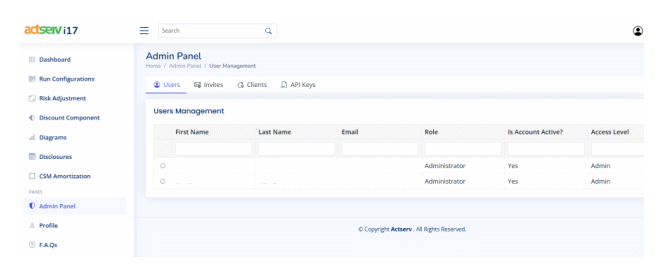
Edit an existing user
- Select the user row.
- Click Edit Selected.
- Choose the appropriate action:
- Activate: Reinstate access.
- Deactivate: Temporarily suspend access.
- Revoke: Permanently remove.
- Save to apply the change.

Manage invites
- Open the Invites tab.
- Press Invite User.
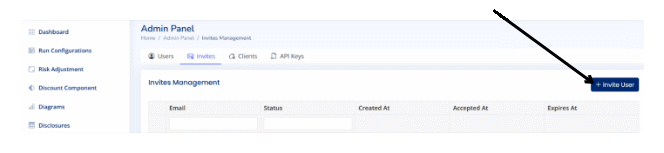
- Provide the recipient’s email and select the access level (e.g., Read, Write, Admin).
- Click Send to dispatch the invitation email.
Existing invitations stay listed with options to Resend or Revoke individually. CLick on a given invite to revoke or resend.
